Many budget keyboards advertise a "mechanical feel," but they actually use rubber domes or scissor switches that only imitate the feel of a real mechanical board. A true mechanical keyboard has an individual switch under every key — and that changes the typing feel, the sound, the lifespan, and whether you can swap keycaps or even switches later. Whether you're typing all day for work, gaming in the evenings, or just want a keyboard that will last, going mechanical is a genuine upgrade.
We dug into the listings, specs, and real customer feedback for three popular mechanical keyboards that each target a different kind of buyer — from a $29.99 entry point to a fully wireless, customizable board. Below is our honest, side-by-side comparison, so you can pick the right one for however you use your keyboard, whether that's an office desk, a gaming setup, or both.
How We Compared These Keyboards
We compared these three keyboards on the criteria that matter most once you commit to "true" mechanical switches: switch type and feel, hot-swap capability (so a single bad switch doesn't retire the whole board), connectivity, build quality, and — importantly — what real verified buyers report about reliability and durability over time, not just the marketing copy on the listing.
The 3 Mechanical Keyboards We Compared
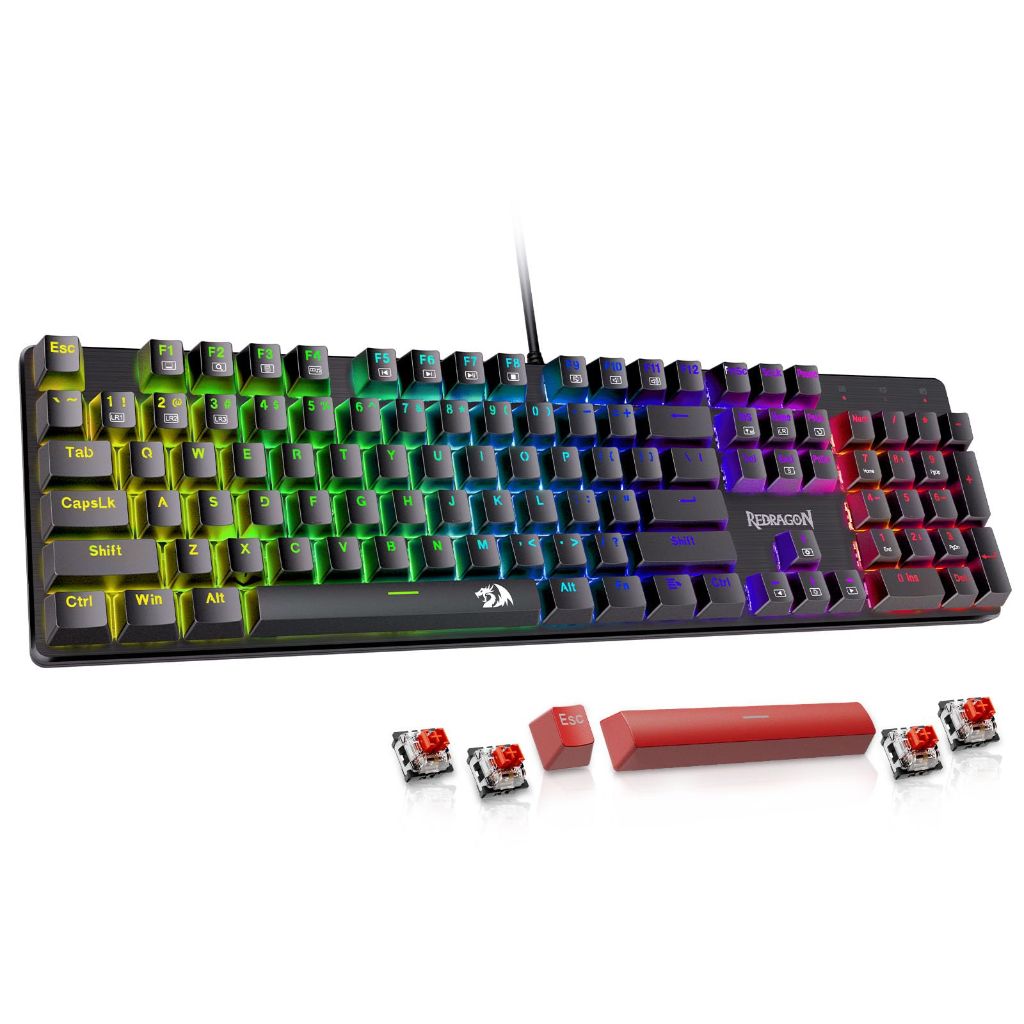
Best Entry Point: Redragon K671 Hot-Swappable Mechanical Keyboard
The cheapest way to try true mechanical switches is the Redragon K671, a wired 104-key board with hot-swappable linear red switches — light, smooth, and easy to press. At under $30 it's already hot-swappable, and it even ships with 4 spare switches and 2 red keycaps so a single dead switch doesn't retire the whole board. It has 11 backlight modes, full anti-ghosting, spill-resistant protection, and companion software for key remapping and macros (Windows only). Note: the backlight color itself can't be customized — only the effect, speed, and brightness.
- Cheapest way to get into real mechanical switches (~$29.99)
- Hot-swappable with 4 spare switches and 2 keycaps included
- 24-month warranty — reassuring at this price
- Software support for remapping keys and macros
- Durability is the main risk — some reviewers report keys failing after just a few weeks to a year of use
- Backlight colors can't be customized, only effects/speed/brightness
- Remapping software is Windows-only
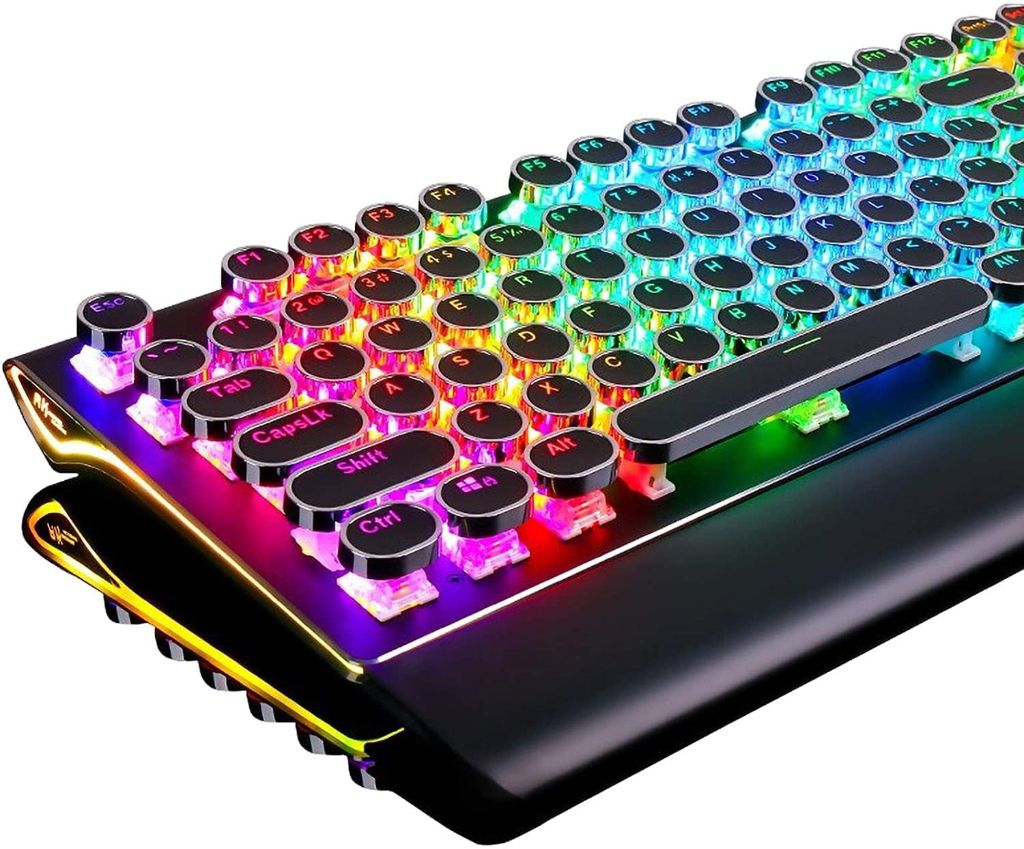
Most Distinctive & Highest Rated: RK Royal Kludge S108 Typewriter Keyboard
The RK Royal Kludge S108 is the most eye-catching board of the three — a retro typewriter design with round keycaps and an aluminum-alloy top panel that looks especially striking with the lights on in a dark room. It's also the highest-rated of the group, with 78% of over 7,600 ratings at 5 stars. Under the hood are clicky blue switches with a clear tactile bump and a crisp, audible click, 168 RGB backlight effects plus 7 side-light effects, and a detachable wrist rest for long sessions. It's QMK/VIA programmable, so key remapping, macros, and lighting work on both Windows and macOS.
- Highest rating of the three: 4.6 stars from 7,692+ ratings
- Distinctive retro look with a metal panel and detachable wrist rest
- 168 RGB backlight effects plus 7 side-light effects, fully customizable per key
- QMK/VIA programmable on both Windows and macOS
- Switches are not swappable — the listing states this explicitly
- Blue switches are loud, which can bother others in a shared space
- Wired only, and the shortest warranty of the three at 1 year
- The most expensive of the three at $59.99
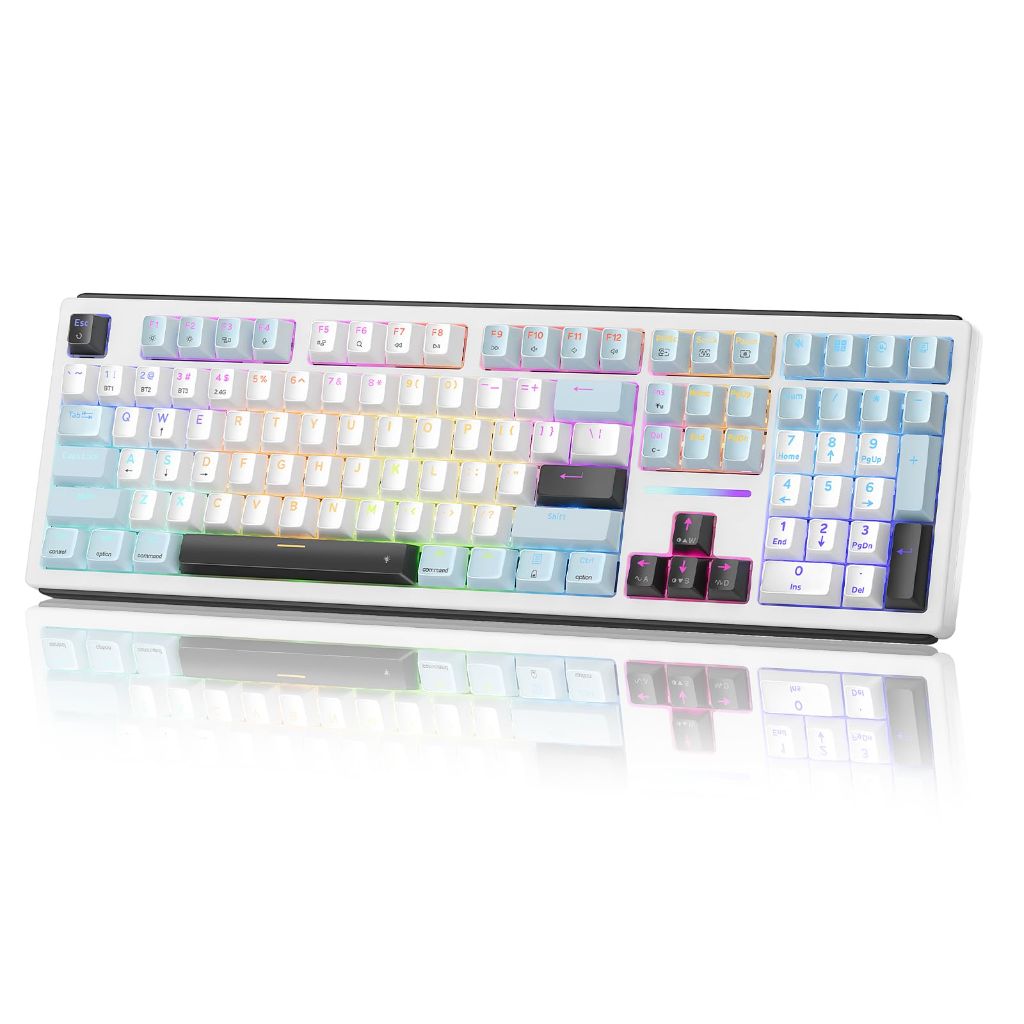
Best Wireless & Customizable: Redragon K771 Tri-Mode Keyboard
If you want a clean, cable-free desk and enjoy tinkering, the Redragon K771 has the fullest spec sheet of the three: tri-mode connectivity (2.4GHz, Bluetooth 5.0/3.0, or USB-C wired) with up to 5 paired devices, an 8000mAh battery the listing says lasts weeks per charge, and a gasket mount with 5-layer sound dampening for a quieter, "creamy" sound. It ships with pre-lubed linear switches on hot-swappable 3-pin/5-pin sockets, per-key RGB with companion software, a full 108-key layout, and 4 dedicated hotkeys (Mute, Calculator, Lock Screen, Show Desktop) in a bold blue-white-black colorway.
- Tri-mode wireless (2.4GHz / Bluetooth / USB-C) pairs up to 5 devices
- Large 8000mAh battery rated for weeks of use per charge
- Gasket mount + 5-layer dampening for a quieter, smoother sound
- Hot-swappable, pre-lubed switches with per-key RGB and remapping software
- The listing's spec fields have some inconsistencies worth verifying — connectivity is listed as USB-C only despite the tri-mode marketing, and compatible OS is listed as Windows only despite the title mentioning Mac
- At 3.03 lb it's the heaviest and least portable of the three
- Read a few recent reviews before buying — some review summaries on this listing appear to overlap with other Redragon keyboards
Quick Comparison Table
| Keyboard | Switch | Hot-Swappable | Connectivity | Price |
|---|---|---|---|---|
| Redragon K671 | Red (linear) | Yes | Wired | $29.99 |
| RK Royal Kludge S108 | Blue (clicky) | No | Wired | $59.99 |
| Redragon K771 | Pre-lubed linear | Yes | 2.4GHz / Bluetooth / USB-C | $53.99 |
Red Switch or Blue Switch?
Two of these boards (the K671 and K771) use linear red switches, while the S108 uses clicky blue switches — and the difference matters a lot for where and how you'll use the keyboard.
| Linear Red (K671, K771) | Clicky Blue (S108) | |
|---|---|---|
| Feel | Smooth, straight down | Clear tactile bump with feedback |
| Sound | Relatively quiet | Crisp and loud |
| Good for | Gaming, shared spaces, late-night use | Heavy typing, people who like audible feedback |
| Downside | Easier to press accidentally | Louder, may bother others nearby |
In short: if noise matters, choose red; if you love the sound, choose blue.
Four Things to Know Before You Buy
1. Hot-swappable does not mean durable. The K671 and K771 both let you replace switches, and the K671 even includes spares, so a single failed key is easier to fix without retiring the whole board.
2. Check that the reviews are actually for the exact model you're buying. Some listings share review summaries across a whole product family — if the numbers or comments look oddly generic, be cautious and read a handful of recent, verified reviews yourself.
3. Test every key as soon as it arrives. All three keyboards have some reports of keys or backlighting failing after a few months of regular use. Test every key, every connection mode, and the lighting within the first week, and keep your proof of purchase in case you need to use the warranty.
4. Think about where you'll actually use it. Loud clicky switches like the S108's blue switches suit a room of your own, gaming setup, or private office. For shared spaces or open floor plans, a red-switch board like the K671 or K771 will be far less disruptive.
Frequently Asked Questions
Is a mechanical keyboard always better than a membrane one?
Not always, but mechanical keyboards usually offer better feel, durability, and room for customization — such as hot-swapping switches or remapping keys — and they typically cost more than membrane boards.
What's the difference between the Redragon K671 and K771?
The K671 is a wired, entry-level board at $29.99 with hot-swappable red switches. The K771 steps up to tri-mode wireless connectivity, a large 8000mAh battery, gasket-mount sound dampening, and per-key RGB for $53.99.
Do these keyboards work on a Mac?
The RK Royal Kludge S108's listing explicitly states macOS support. The Redragon K671's remapping software is Windows-only, and the K771's compatible-OS field lists Windows only even though its title mentions Mac — so Mac users should verify with the seller before buying either Redragon model.
Which one should I pick for my budget?
Under $30, choose the Redragon K671. If you want the most distinctive look and the highest rating, choose the RK Royal Kludge S108. If you want wireless freedom and full customization, choose the Redragon K771.